Archive for July, 2026
The Form Builder Is Now Multi-User
The form builder is now multi-user. As a FormSmarts account administrator, you can give individual users in your account view or edit access to specific forms, so your team can collaborate on form building without needing the admin login.
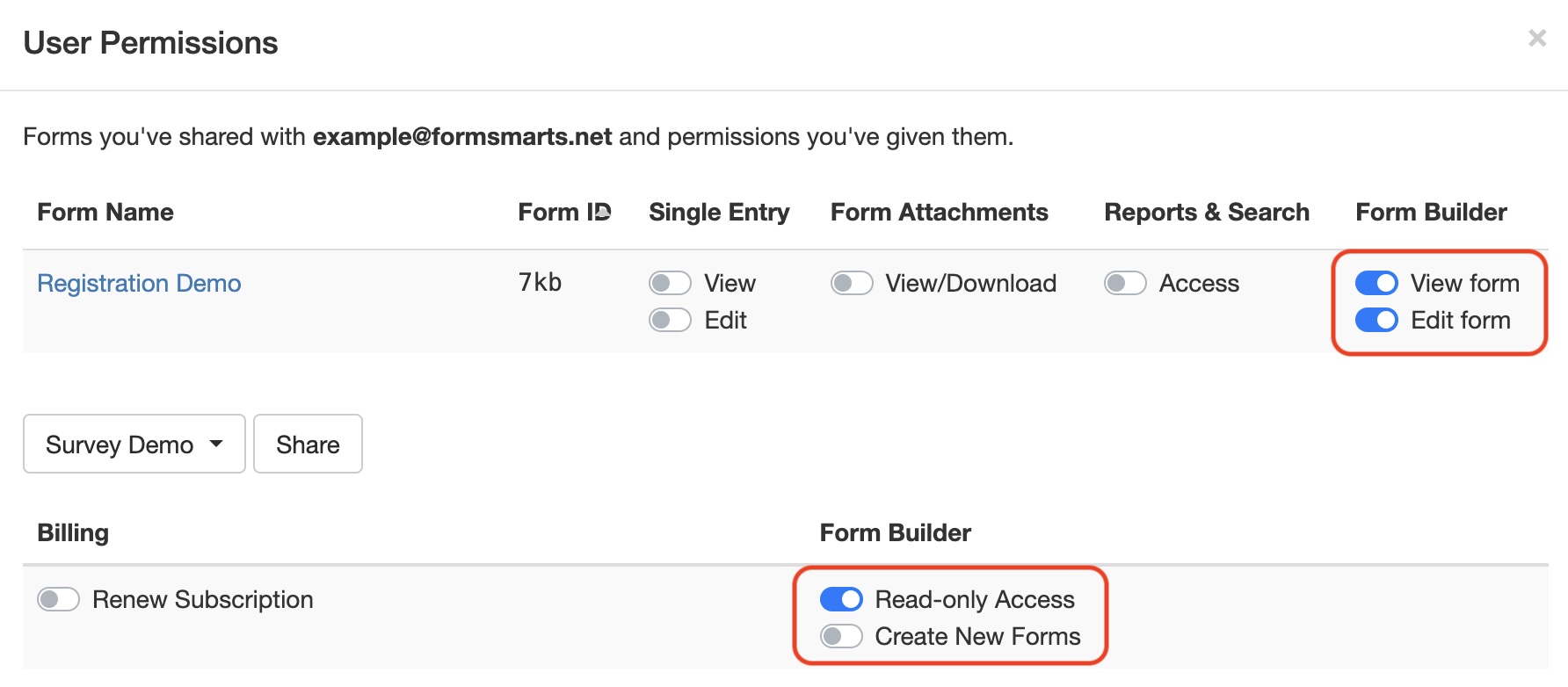
Form Builder Access Permissions
To access the form builder, a user needs:
- The Read-only Access account permission, to open and view forms settings
- The Create New Form permission, if they should be able to create their own forms
When a user creates a form, they are implicitly given permissions to view and edit the form. But they aren’t given any access to completed form submissions. As the account administrator, you have to grant them the suitable permissions on form data if needed.
If you haven’t set up additional users on your account yet, see our guide on how to create a user.
Form Level Permissions
To view and edit a specific form in the form builder, a user needs the View Form and Edit Form permission, respectively.
You can manage these permissions, and see which forms each user has access to, from the User Management Dashboard (illustrated above).
What’s Still Admin-Only
While form building is now shared, a handful of account-level settings remain restricted to the main administrator:
- Changing the account’s login email address (a.k.a. admin email)
- Deleting a form
- Scheduling a form suspension or reactivation
- Disabling or enabling a drop-down list or radio button option (e.g. for early bird pricing)
- Turning cloud storage on or off for all new forms
- Changing email format from Rich Text (HTML) to Plain Text
Other Changes
Alongside the multi-user form builder, we’ve also rolled out:
- User-specific preferences
- The ability to set a default form color scheme
- The ability to set Secure Access on your forms
Head over to the User Management Dashboard to start assigning form access to your team. Please leave a comment below if you have any questions.
Posted on Jul 3rd, 2026 in form builder.
Post a Comment
Tags: collaboration, user