Online Form Examples
These are example web forms built with FormSmarts form creator. You could get the same forms on your site in just minutes.
Contact Form Example
Add a contact form to your site in minutes!
Creating a contact form or feedback form like the one found on most sites is quick and easy with FormSmarts.
And, best of all, it's free. You can create simple forms for free with FormSmarts free tier.
- Create a form. FormSmarts allows you to make a contact form in a few clicks with our online form builder.
- Publish it. FormSmarts allows you to embed a form directly onto your site, as with the example below. All you need to do is post the embed code provided by the form builder to your site. Each form also comes with its own FormSmarts.com and shortened URL, so you can link to your form, share it on Facebook, or use the form even if you don't have a website.
- Receive response in your inbox. Receive form responses by email or collect form entries on the cloud and generate an Excel report.
Like all FormSmarts forms you get:
- Spam protection
- Uncompromising privacy
Example Form with Payment Integration
With FormSmarts, it has never been so easy to make an online form that lets people pay by PayPal or Stripe.

These examples demonstrate our popular PayPal form feature.
With FormSmarts payment integration, you can easily allow your customers to pay by PayPal (including credit card) or Stripe on your forms. We also give you the power and flexibility of a full-featured online form builder.
Our PayPal Form feature is your best option whenever you need to collect data like registration info and get paid on a form.
Tip: As with all forms you create with the form generator, you can easily embed the form into your own website rather than using the form's FormSmarts URL.
Example Form with File Upload
The form builder allows you to add file upload capability to a form in just a click.

Allow people using your form to upload pictures, documents and other files to a form by simply adding a file upload control to it. Form attachments are safely stored on the cloud where you can download them at any time.
Example Form with eSignature
The form builder allows you to add an e-signature field to a form in just a few clicks.

Allow individuals using a form to eSign it just as they would on paper:
- People using a mobile device sign on the screen
- On computers and smart TVs, users scan a QR code with their phone and sign on their phone (video below)
- They can alternatively write their signature on paper and capture it with the webcam of their computer, or sign with their mouse.
Event Registration Form Example
Create an online registration form in minutes and start accepting registrations right away.
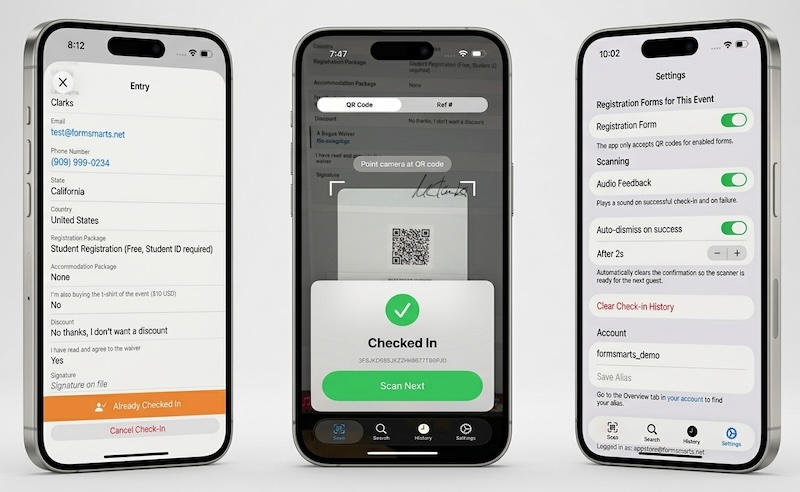
FormSmarts provides a cost-effective, end-to-end solution for event registration, from collecting registrations online to checking in guests on the day of your event.
- Accept payment by PayPal or Stripe, both of which support credit card payments
- Register multiple participants in a single submission and pay for all of them at once
- Offer discounts with or without a discount code
- Export registrations to Excel for easy management
- Check in guests on the day of your event with the FormSmarts Event Check-In App for iPhone — scan a guest’s QR code or look them up by phone or email
Example of a Form Users Can Save, Come Back to, and Share
The form builder allows you to create forms a user can start filling out, save, and continue at a later time. They can also invite someone else to help complete part of the form or sign it.
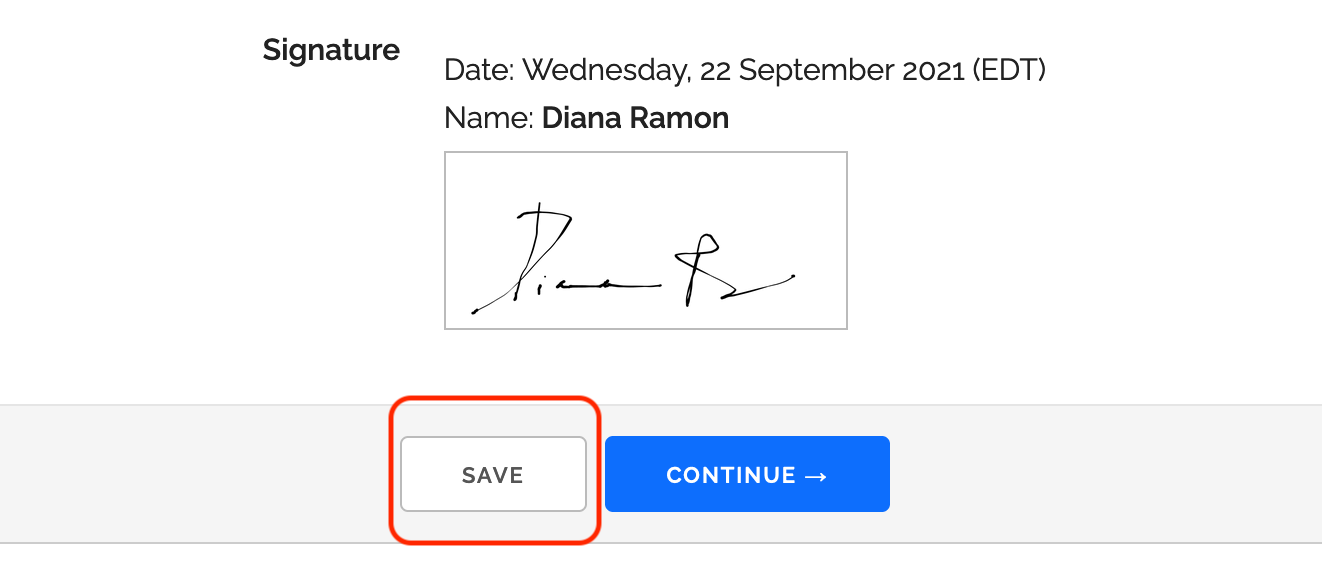
Save & Resume allows users to complete an application form or report over several days or weeks, saving changes and editing the form as needed before submitting it permanently. FormSmarts provides the submitter with a private URL allowing them to access and edit their application, while protecting the content of the form from public view.
The submitter can share their form entry with co-submitters and co-signers. The submission process can be configured so a member of your team reviews form entries before they can be submitted permanently.
Online Booking Form Example
Create a booking form in a few simple steps with FormSmarts form builder.

An online booking form allows you to offer a limited number of resources for booking. You could for example sell eighty tickets for an event. The booking form is automatically disabled once the event is fully booked or the booking period has ended.
Feel free to try this booking demo and make you own booking form. Please contact us if you need help of have any questions.
Survey Form Example
The form builder provides you with all the tools you need to easily create an online questionnaire in minutes.

FormSmarts form builder supports all the field types you need to create rich survey forms. We support all standard HTML controls (text fields, drop-down lists, checkboxes and radio buttons), and we've even added a few others, including geo-localized country and country subdivision (state, province, …) selectors that automatically pre-select a value from the approximate location of the visitor.
When you create a web survey, you usually want to collect form submissions on FormSmarts, rather than having each one emailed to you. You can then export form responses in Excel format in a few clicks with our reporting tool.