Archive for March, 2026
View and Test Your Forms Privately While They’re Disabled
To make your workflow smoother, we’ve updated how disabled forms behave. You can now tinker, test, and perfect your forms while they are disabled, allowing you to finalize your work without showing a “work in progress” to the public.
What’s New: Access Even When “Off”
Previously, a disabled form was inaccessible to everyone. Now, we’ve created a way for you and your team to work on them privately.
- Logged-In Access: If you are logged into FormSmarts, you can now view and submit disabled forms exactly as if they were live.
- Team-Wide Compatibility: This applies to the account admin and all users associated with the account.
- Standalone Only: This change specifically applies to the standalone version of your form. If you have the form embedded on your website, it will remain hidden from the public.
Identifying Disabled Forms
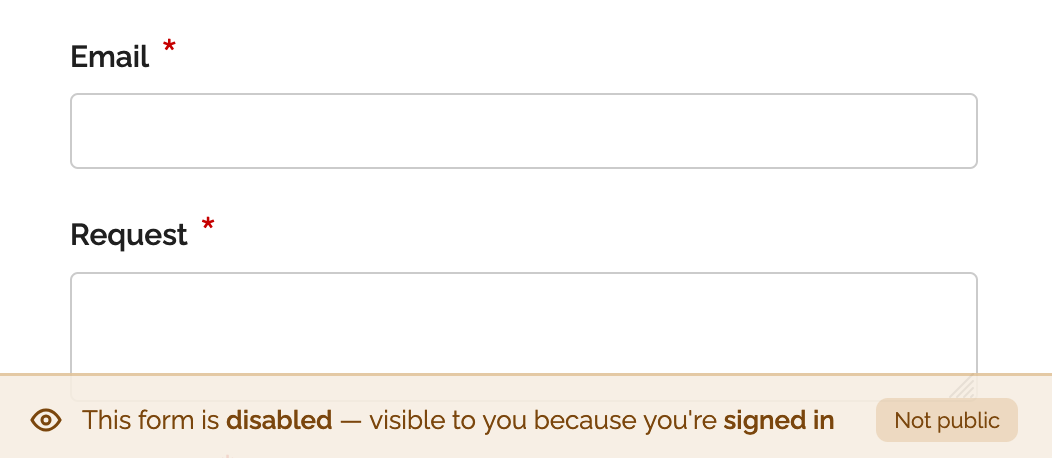
To help you keep track of a form’s status, we’ve added a status banner at the bottom of the form page. This banner identifies when a form is currently disabled, so you know you’re viewing it in a private testing capacity.
Quick Reminder: Managing Form Visibility
Here is a quick refresher on how to manage your form visibility settings:
- Manual Toggle: Enable or disable any form via the Forms tab in the Form Builder.
- Scheduling: Use the scheduling feature to automatically enable or disable forms at specific dates and times.
- Custom Messaging: When you disable a form, you can customize the message shown to public visitors (e.g., “Check back soon!” or “Registrations are now over”).
This update is designed to help you move from draft to live with more confidence and less friction.
Posted on Mar 27th, 2026 in collaboration, form builder.
Post a Comment